Kick Link Not Opening in the App from Instagram? Here's the Fix
Why your kick.com link opens a logged-out browser inside Instagram instead of the Kick app, and the 5-second fix that sends viewers straight into the app.
 By Sanii Verma·Updated
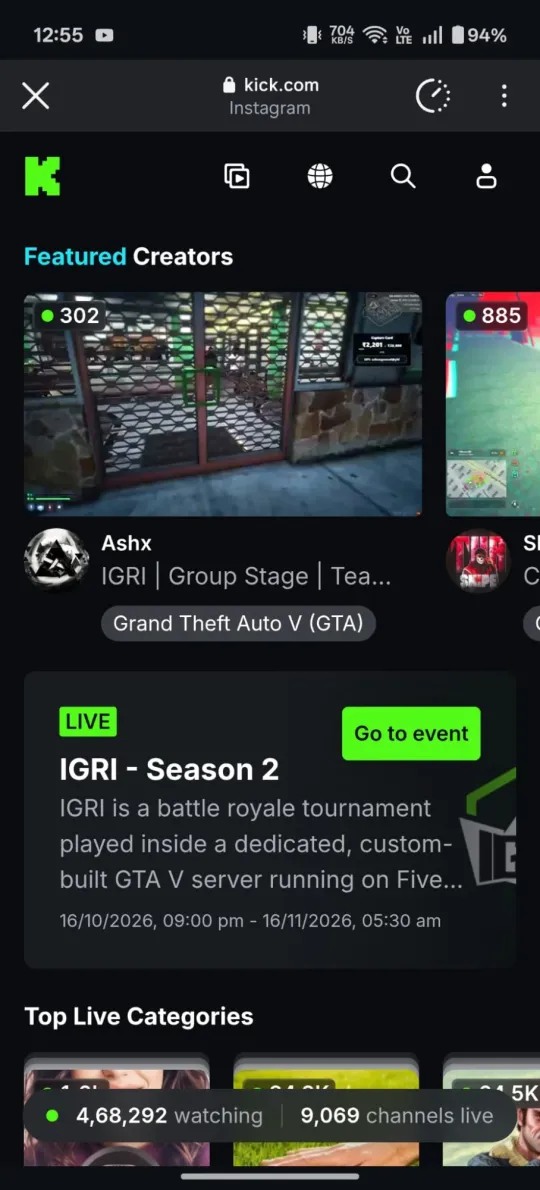
You put your Kick link in your Instagram bio, a fan taps it, and instead of the Kick app they get a small browser window with kick.com in it. They aren't logged in, so they can't chat, follow or subscribe. Most of them close it and scroll on. If that sounds familiar, you're not doing anything wrong. This is how Instagram handles every link, and there's an easy fix.
Why Kick links don't open the app from Instagram
Instagram, Facebook, TikTok, Threads and Snapchat all use an in-app browser. When someone taps a link, the app opens it in its own built-in web view instead of handing it to the phone. That keeps people inside Instagram, but it breaks the normal way phones decide to open apps.
Normally, when you tap a kick.com link in Safari, Chrome or Notes, your phone checks whether the Kick app is installed and has said it can open kick.com links. If so, the app opens. Inside Instagram that check never happens, so kick.com loads as a plain website:
- The viewer is logged out, because the in-app browser doesn't share the Kick app's login.
- They can't chat, follow, subscribe or gift subs without logging in again.
- The video player is smaller and often stutters compared with the app.
- Many viewers bounce, so your bio link drives far fewer real viewers than it should.
The fix: use a Kick app opener link
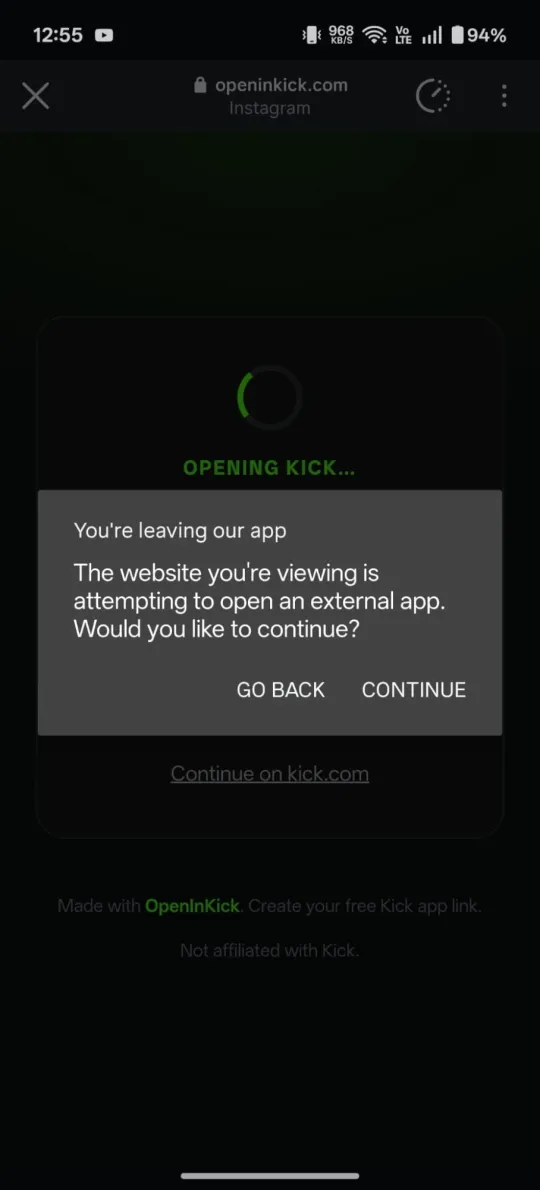
A Kick app opener is a smart link that sits between Instagram and Kick. When someone taps it, it detects their phone and tells it to open the Kick app directly:
- Android: the link hands off to the Kick app. Instagram first asks “You're leaving our app”. Tap Continue and the Kick app opens. If the app isn't installed, it opens kick.com instead.
- iPhone: Apple only lets apps open from a tap, so viewers see a big Open in Kick app button. One tap opens the app.
- Computer: the link goes straight to your kick.com channel.
With OpenInKick your link looks like openinkick.com/yourname. It's free, needs no sign-up, and comes with a private dashboard showing how many people tapped it.
Here's the difference on a real Android phone:
✕ Without OpenInKick
✓ With OpenInKick
Fix your Kick link in 5 seconds
Paste your Kick link and get a free link that opens the Kick app, with click stats.
Create my Kick app linkHow to fix your Instagram bio link, step by step
- Go to openinkick.com and paste your Kick channel link (for example
kick.com/yourname) or just your username. - Tap Create free link. You get
openinkick.com/yournameand a private stats link. Save the stats link somewhere safe. - Open Instagram, go to your profile and tap Edit profile.
- Tap Links → Add external link, paste your OpenInKick link, give it a title like “Watch me live on Kick”, and save.
- Test it: send the link to yourself in an Instagram DM and tap it. It should open the Kick app (on Android, tap Continue when Instagram asks).
It works everywhere Instagram-style browsers are used
The same problem happens in TikTok, Threads, Facebook, Snapchat, X and LinkedIn. One OpenInKick link fixes all of them, so use it in every bio, Story link sticker, YouTube description and Discord announcement. See our guides for the TikTok bio and iPhone for platform-specific tips.
Quick troubleshooting checklist
- Still opening a browser on iPhone? Tap the green Open in Kick app button. iPhones never open apps automatically from inside Instagram.
- Seeing “You're leaving our app” on Android? That's Instagram's normal check before opening another app. Tap Continue.
- Opens kick.com instead of the app on Android? The Kick app probably isn't installed, or it's disabled. Install it from Google Play and try again.
- Wrong channel? Check the spelling of your username. Your link always opens exactly
kick.com/plus the name afteropeninkick.com/.
Questions
Why does my Kick link open in a browser on Instagram?
Instagram opens every link in its own built-in browser. That browser shows kick.com as a website and doesn't pass the link to the Kick app, even if the app is installed.
Will a Kick app opener link get my Instagram account flagged?
OpenInKick only ever forwards to kick.com, works like any normal link shortener, and has no ads or pop-ups on the redirect, so it behaves like a regular link in your bio.
Does this also fix Kick links in Instagram Stories and DMs?
Yes. Story link stickers and links sent in DMs open in the same in-app browser, and an OpenInKick link fixes them the same way.