How to Add Your Kick Link to Your Instagram Bio (So It Opens the App)
Step-by-step: add your Kick channel link to your Instagram bio so every tap opens the Kick app, not a logged-out browser. Plus tips to get more viewers from Instagram.
 By Sanii Verma·Updated
Your Instagram bio is often the first place new fans find your Kick channel. But if you paste a plain kick.com link there, it opens inside Instagram's built-in browser, logged out, where fans can't chat or follow. Here's how to add your Kick link the right way, so every tap opens the Kick app.
Step 1: Create your Kick app link
Go to OpenInKick and paste your channel link or username. Tap Create free link. You'll get:
- Your smart link,
openinkick.com/yourname - A QR code you can download for overlays and IRL streams
- A private stats link to see how many people tapped it
Copy the smart link. Save the stats link in your notes or bookmarks, because it's the only way to open your stats.
Step 2: Add it to Instagram
- Open Instagram and go to your profile.
- Tap Edit profile.
- Tap Links, then Add external link.
- Paste your OpenInKick link in the URL field.
- Add a title such as 🟢 LIVE on Kick or Watch my streams. The title shows on your profile when you have more than one link.
- Tap Done or the checkmark to save.
Step 3: Test it like a fan would
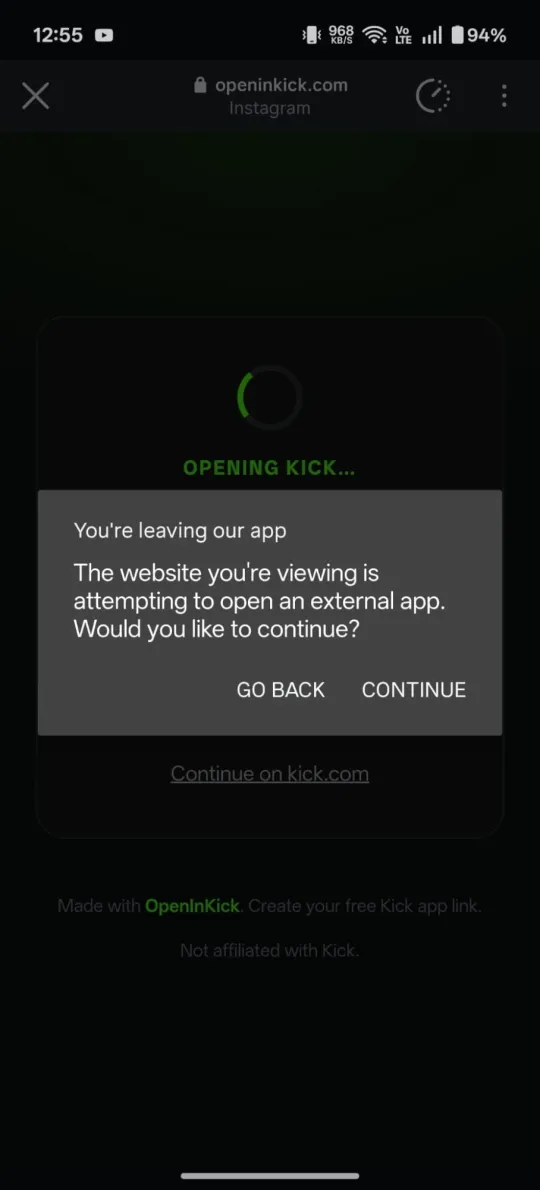
Send the link to a friend (or to yourself) in an Instagram DM and tap it on your phone. On Android, Instagram asks “You're leaving our app”. Tap Continue and the Kick app opens. On iPhone you'll see an Open in Kick app button. Tap it and the app opens. If the Kick app isn't installed, it opens kick.com instead, so the link never breaks.
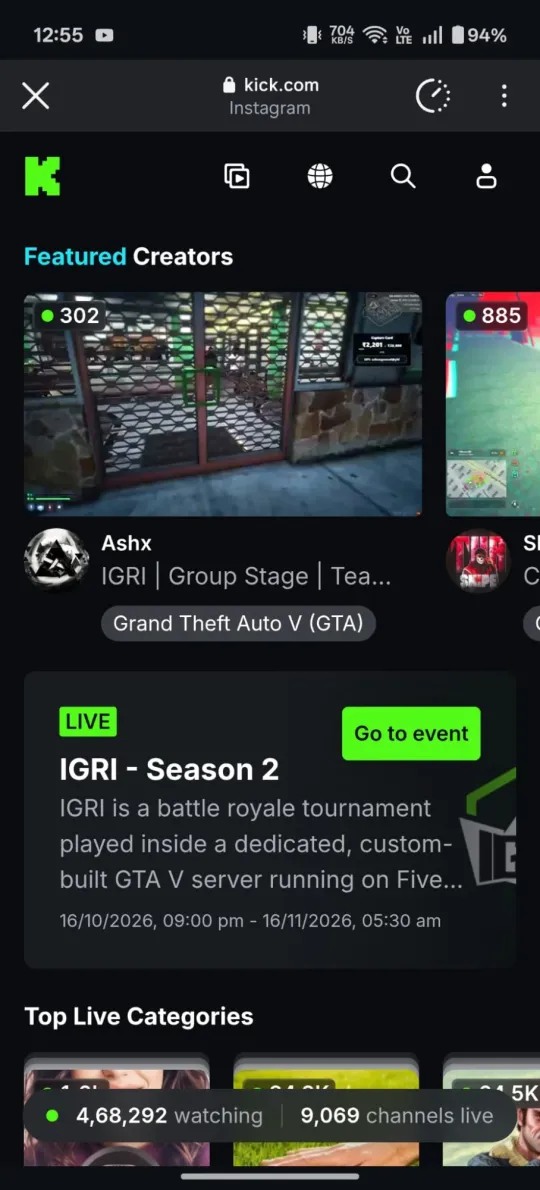
✕ Without OpenInKick
✓ With OpenInKick
Create your Instagram bio link now
Paste your Kick link and get a free link that opens the Kick app, with click stats.
Create my Kick app linkTips to get more Kick viewers from Instagram
- Put your Kick link first. With multiple links, Instagram only shows the first one in full on your profile.
- Say it in your bio text. A line like “Live every night at 8 PM ET 👇” gives people a reason to tap.
- Use Story link stickers when you go live. Post a Story with your OpenInKick link sticker as soon as your stream starts.
- Make clip links. Paste a Kick clip URL to get a short
openinkick.com/c/…link for Reels captions and Stories, each with its own click count. - Check your stats weekly. Compare sources to see whether Instagram, TikTok or X sends you the most viewers, then post more where it works.
Why not just use a normal kick.com link?
Instagram opens links in its own browser, which doesn't share your fans' Kick login. A normal link means fans land logged out and have to sign in again just to chat. Read more in why Kick links don't open the app from Instagram.
Questions
How many links can I add to my Instagram bio?
Instagram lets you add up to five links. Put your OpenInKick link first so it's the one that shows on your profile.
Can I use OpenInKick with Linktree or another link-in-bio page?
Yes. Add your OpenInKick link as a button on your link-in-bio page. When fans tap it, it still opens the Kick app.
Can I see how many people clicked my Kick link from Instagram?
Yes. Your private stats link shows clicks by source, so you can see exactly how many came from Instagram compared with TikTok, X or YouTube.